
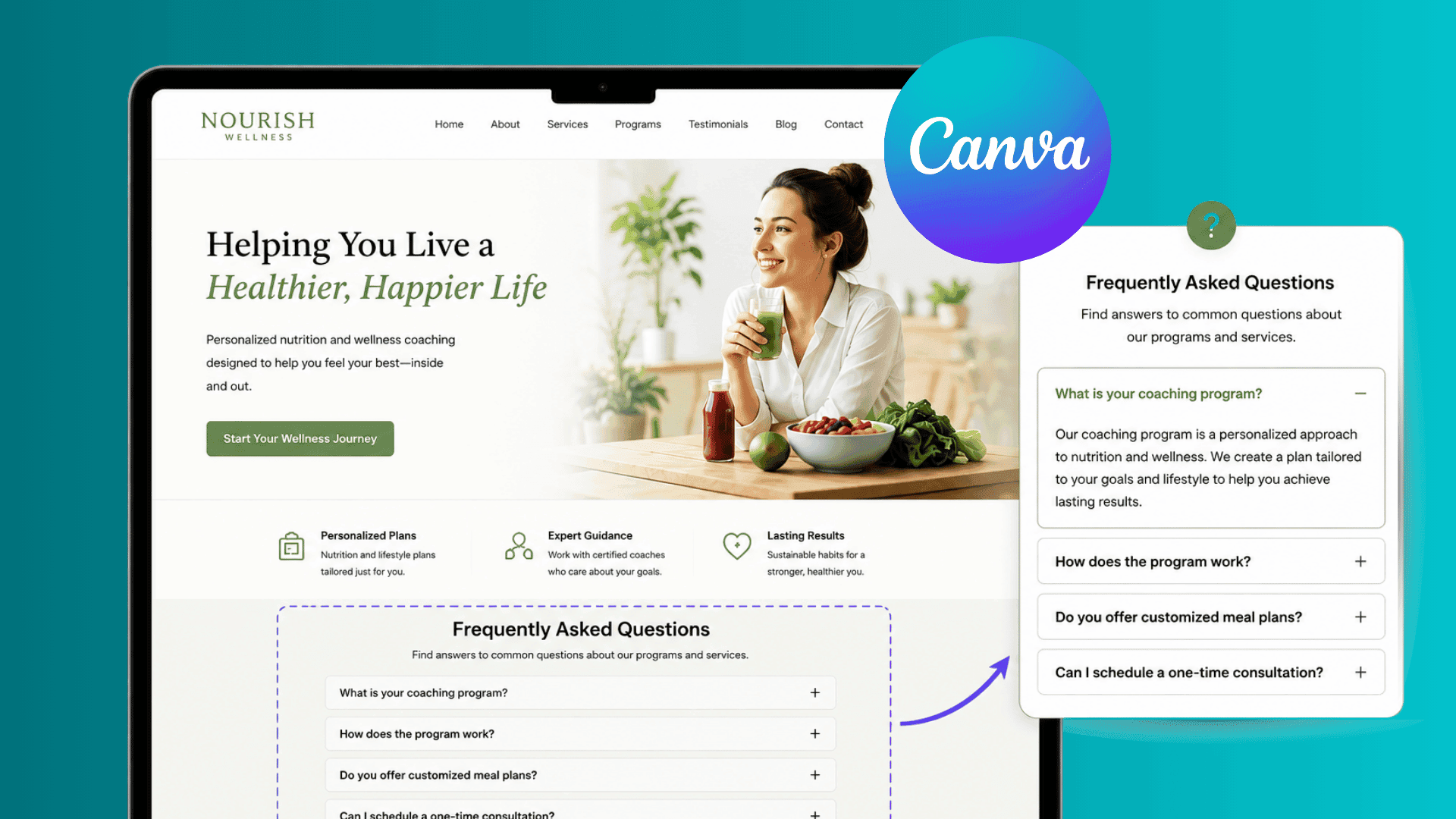
Learn how to add an FAQ section to a Canva website, improve navigation, answer common customer questions, and build trust with visitors.
Paula Sawicka
Content Creator
oes your Canva website feel too static? Or maybe it’s missing a piece of interaction that helps your visitors convert into paying customers? FAQ sections are one of the most important parts of a website. They help answer common questions, build trust with visitors, reduce support requests, and can even improve conversion rates.
The challenge for many Canva website creators is that Canva doesn't currently offer a native expandable FAQ feature. Most users end up creating long blocks of text that take up valuable space and can make a website feel cluttered.
In this guide, we'll show you how to add a FAQ section to your Canva website and why interactive FAQs can improve the overall user experience.
Why Every Canva Website Needs a FAQ Section
A FAQ section doesn’t just make your website look more professional, it adds functionality, saves valuable space, and builds trust with your visitors. Whether you're a coach, consultant, freelancer, ecommerce store owner, or small business owner, visitors often have questions before making a decision on whether or not they would like to work with you. A FAQ section helps:
Answer common customer questions
Build trust and credibility
Reduce hesitation before purchasing
Improve website navigation
Reduce customer support inquiries
Keep visitors on your website longer
Instead of forcing visitors to contact you for basic information, a FAQ section allows them to find answers instantly.
Common Problems with Traditional FAQ Sections in Canva
Many Canva website creators simply add questions and answers as plain text.
For example:

This is where expandable FAQ sections become valuable.
What Is an Expandable FAQ Section?
An expandable FAQ section, also known as an accordion FAQ, allows visitors to click a question to reveal the answer.
This keeps your website clean and organized while allowing visitors to access information only when they need it. It’s also a great opportunity to interact with your potential customers. When your client engages with your website, they are already more interested and invested in products and services that you offer. Having an expandable FAQ section helps:
Cleaner website design
Better mobile experience
Easier navigation
More professional appearance
Improved user engagement
Many of the world's most successful websites use expandable FAQ sections because they help organize large amounts of information without overwhelming visitors.
How to Add an FAQ Section to a Canva Website (Step-by-step)
Login or create an account with inspireclicks.co If you’re uncertain if you’d like to use inspireclicks, you can access the platform for free using the 7-day trial.
Head to your dashboard, and from your sidebar, select ‘widget builder’
 Click on ‘Create widget’ and choose ‘FAQ/Accordion’

Choose a design layout that you'd like to choose by clicking 'design' in the bottom toolbar. You can choose a different layout for each tab.

Add your text to all the FAQ sections by directly clicking onto the text, or you can also make changes by clicking on the content button in the toolbar at the bottom.

If you'd like to change the fonts for the FAQ headings or content text, you can do so by clicking on the 'text' button in the bottom toolbar.

Once you have completed the widget, added all your text and images, you can preview your widget on any device including phone, tablet, and computer by clicking on each at the top of the page.

When you're ready to publish your widget to your Canva website, simply click on 'open in Canva' at the top right hand corner. You will then be redirected to Canva where your widget will be automatically inserted. You can then copy and paste it to your other Canva website or designs.

That’s it! It’s that easy! Please note that all changes are automatically saved as you make them, and to view these changes on Canva, simply update the widget in the Canva app.
FAQ Best Practices for Canva Websites
Not all FAQ sections are equally effective. Follow these best practices:
Answer Real Customer Questions
Use questions that customers actually ask.
Examples:
How much do your services cost?
How long does delivery take?
Do you offer refunds?
How do I get started?
Keep Answers Concise
Visitors want quick answers. Avoid lengthy paragraphs whenever possible.
Organize Questions Logically
Group similar questions together.
For example:
Pricing Questions
Service Questions
Delivery Questions
Technical Questions
Place FAQs Near Conversion Sections
The best location is often:
Near pricing sections
Above contact forms
Before call-to-action buttons
This helps eliminate objections before visitors make a decision.
FAQ Examples for Different Businesses
Coaches
How do coaching sessions work?
Do you offer payment plans?
What results can I expect?
Graphic Designers
How many revisions are included?
What file formats will I receive?
How long does the design process take?
Marketing Agencies
Do you require long-term contracts?
What services are included?
How soon will I see results?
Ecommerce Stores
What is your return policy?
How long does shipping take?
Do you ship internationally?
Can FAQ Sections Improve SEO?
Yes.
FAQ sections can improve SEO by naturally including keywords and answering questions users are already searching for.
For example, if you are a Canva website designer, questions such as:
How much does a Canva website cost?
Is Canva good for business websites?
Can I sell products on a Canva website?
may help attract additional search traffic.
The key is to focus on genuine customer questions rather than stuffing keywords unnaturally.
Final Thoughts
A well-designed FAQ section can significantly improve the user experience of your Canva website.
While static FAQs can work, interactive expandable FAQ sections provide a cleaner, more professional solution that helps visitors find answers quickly without overwhelming them with information.
By answering common questions, reducing friction, and improving navigation, an FAQ section can help transform a simple Canva website into a more effective business tool.
If you're looking to create a more engaging and professional Canva website experience, adding an expandable FAQ section is one of the simplest and most impactful improvements you can make. Sign up to Inspireclicks.co to get started.