
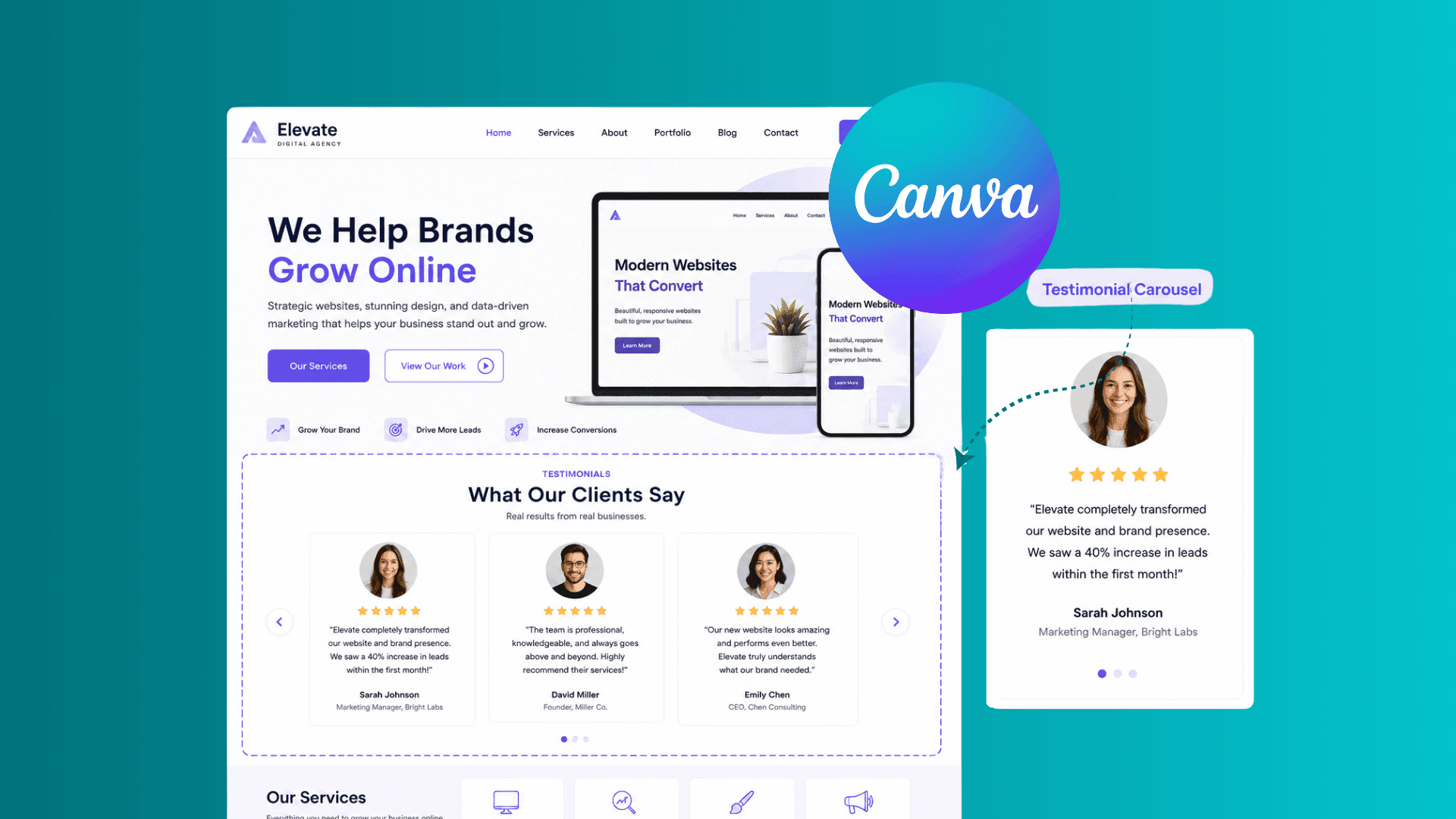
Learn how to add a testimonial carousel to a Canva website, display customer reviews professionally, build trust, and improve website conversions.
Paula Sawicka
Content Creator
Imagine visiting a website that claims to offer amazing products or services but provides no proof that anyone has ever used them.
Would you trust it?
Most people wouldn't.
Every person who visits your website will need reassurance before they take action. They want to know that other people have worked with you, purchased from you, and achieved positive results.
That's where testimonials come in. A well-designed testimonial carousel helps showcase customer reviews in a professional, engaging format that builds trust and encourages visitors to take the next step.
In this guide, you'll learn how to add an interactive testimonial carousel to a Canva website, why testimonials matter, and how to use them effectively to increase conversions.
Why Testimonials Matter on Canva Websites
Every visitor who lands on your website is asking themselves one question:
"Can I trust this business?"
Your website can have beautiful images, persuasive copy, and an attractive design, but if visitors don't trust you, they're unlikely to become customers.
Testimonials provide social proof.
Instead of hearing how great your business is from you, potential customers hear it from people who have already experienced your products or services.
This reduces uncertainty and helps visitors feel more confident in their decision.
Benefits of displaying testimonials include:
Building credibility
Increasing trust
Reducing buyer hesitation
Demonstrating real results
Improving conversion rates
Strengthening your brand reputation
For many businesses, testimonials are one of the most powerful sections on the entire website.
The Psychology Behind Testimonial Carousels
People naturally look to others when making decisions. This psychological principle is known as social proof.
When visitors see positive feedback from real customers, they feel reassured that they're making a safe choice.
For example:
If ten people say a restaurant is excellent, you're more likely to eat there. If multiple customers share positive experiences about a coach, agency, or service provider, you're more likely to trust them.
Testimonials help answer questions such as:
Is this business legitimate?
Will I get results?
Have other people had success?
Is this worth the investment?
A testimonial carousel allows you to showcase multiple customer success stories without overwhelming your visitors.
What Is a Testimonial Carousel?
A testimonial carousel is an interactive section that displays customer reviews in a rotating slider format.
Instead of showing one or two testimonials in a large block of text, visitors can browse through multiple reviews within a compact space. A testimonial carousel typically includes:
Customer name
Customer photo
Review text
Company name (optional)
Star rating (optional)
Benefits of testimonial carousels include:
Cleaner website layouts
Better mobile experience
Increased engagement
More social proof
Professional presentation
This allows you to display more customer reviews while keeping your Canva website organized and visually appealing.
Static Testimonials vs Testimonial Carousels
Before adding testimonials to your Canva website, it's important to understand the difference between traditional testimonial sections and interactive testimonial carousels.
Static Testimonials
Right now, Canva only allows you to insert testimonials in blocks of text. These blocks are static and take up a lot of space on your website sections. The testimonial blocks that you can create in Canva are beautiful, and they can look professional, but they are not interactive which doesn’t make them so successful at converting your visitors into paying customers. Here is an example of what you can create on Canva:

Advantages of creating static testimonial blocks::
Easy to create
Simple design
No interaction required
Disadvantages:
Takes up more space
Displays fewer reviews
Can make pages feel cluttered
Less engaging for visitors
Testimonial Carousels
A testimonial carousel allows visitors to browse through multiple reviews using navigation arrows or automatic sliding functionality.
Advantages:
Displays more reviews
Saves valuable page space
Creates a modern user experience
Improves website engagement
Works well on mobile devices
For most Canva websites, testimonial carousels provide a cleaner and more professional solution.
How to Add an interactive Testimonial Carousel to a Canva Website (Step-by-step)
Login or create an account with inspireclicks.co If you’re uncertain if you’d like to use inspireclicks, you can access the platform for free using the 7-day trial.
Head to your dashboard, and from your sidebar, select ‘widget builder’

Click on ‘Create widget’ and choose ‘Review Carousel’

Firstly, choose a design layout that you'd like to use for your testimonial carousel. You can do this by clicking on 'design' button in the bottom toolbar. Here, you will also be able to add or change colours for your carousel.

Once you've chosen your design layout. It is time to add your text for testimonials and to add your client images. You can do this by directly clicking on the widget, or by clicking on the 'content' button at the bottom toolbar.

Once you've added all you images and text, you can update the fonts by clicking on 'text' in the bottom toolbar. Here, you can also change the text colour for the testimonial content, client name, and more.

In the 'settings' you will be able to update the behaviour of your testimonial. Here, you can update how fast or how slow you'd like the testimonial carousel to move, whether you'd like it to auto play or for people to manually move between testimonials.

Once you have finished your widget, you can preview how it will look on different devices by clicking on 'mobile, tablet, laptop' at the top of the page.

When you're happy with everything, click on 'open in Canva' button at the top right corner to insert your widget into your Canva website. Please note that all changes are saved automatically. To view the changes on Canva, please just click on 'update' in the Canva app.

That’s it! It’s that easy!
Testimonial Carousel Best Practices
Adding testimonials is only the first step. To maximize their impact, follow these best practices.
Use Real Customer Names and Photos
Visitors can often spot fake testimonials immediately. Whenever possible, include:
Full names
Customer photos
Business names
Job titles
This significantly increases credibility.
Focus on Results
Strong testimonials highlight outcomes rather than generic praise.
Weak example:
"Great service."
Stronger example:
"Our website enquiries increased by 40% within the first month."
Specific results build trust and demonstrate value.
Include Different Customer Types
Showcase a variety of customers whenever possible.
Examples:
Small businesses
Coaches
Agencies
Freelancers
Ecommerce stores
This helps a wider audience relate to your testimonials.
Keep Testimonials Easy to Read
Avoid large blocks of text.
Instead:
Use shorter paragraphs
Highlight key outcomes
Ensure mobile readability
Maintain consistent formatting
Simple, readable testimonials tend to perform better.
Where Should Testimonials Be Placed on a Canva Website?
Placement matters. Even excellent testimonials may go unnoticed if they're hidden in the wrong location.
Homepage
One of the best locations for a testimonial carousel. Visitors can immediately see proof that others trust your business.
Service Pages
Testimonials help reinforce the value of specific services. For example, a web design service page should feature web design client testimonials.
Pricing Pages
Testimonials can help reduce hesitation before purchasing. When visitors are evaluating cost, social proof often provides the final push.
Landing Pages
A testimonial carousel can significantly strengthen conversion-focused landing pages by addressing doubts and objections.
Common Testimonial Mistakes to Avoid
Using Fake Testimonials
Fake reviews damage trust and can harm your reputation. Always use genuine customer feedback.
Showing Too Few Testimonials
One or two reviews may not provide enough proof. Display multiple testimonials whenever possible.
Hiding Testimonials at the Bottom of the Page
Place testimonials where visitors will actually see them.
Using Long Walls of Text
Large paragraphs can be intimidating and difficult to read. Keep testimonials concise and impactful.
Can Testimonial Carousels Improve Conversions?
In many cases, yes. Testimonials help reduce uncertainty, build confidence, and reassure visitors that they are making the right decision.
When potential customers see positive experiences from others, they are often more willing to:
Request a quote
Book a consultation
Purchase a product
Join a program
Contact your business
While testimonials alone won't guarantee conversions, they are one of the most effective trust-building elements you can add to a Canva website.
Frequently Asked Questions
How many testimonials should a website have?
Aim for at least 5 to 10 quality testimonials. More social proof generally increases credibility.
Should testimonials include photos?
Yes. Photos help make reviews feel more authentic and trustworthy.
Are video testimonials better?
Video testimonials can be highly effective because they add an extra layer of authenticity.
Where should testimonials appear on a website?
The homepage, service pages, pricing pages, and landing pages are typically the most effective locations.
Can testimonials increase sales?
Testimonials can help improve trust and reduce buyer hesitation, which may contribute to higher conversion rates.
Final Thoughts
Testimonials are much more than decorative website elements. They provide social proof, build credibility, and help visitors feel confident in choosing your business.
A testimonial carousel allows you to showcase multiple customer success stories while maintaining a clean and professional Canva website design. If you're looking to improve trust, engagement, and conversions, adding a testimonial carousel is one of the most effective enhancements you can make to your Canva website. Sign up to inspireclicks.co to build your testimonial carousel.