
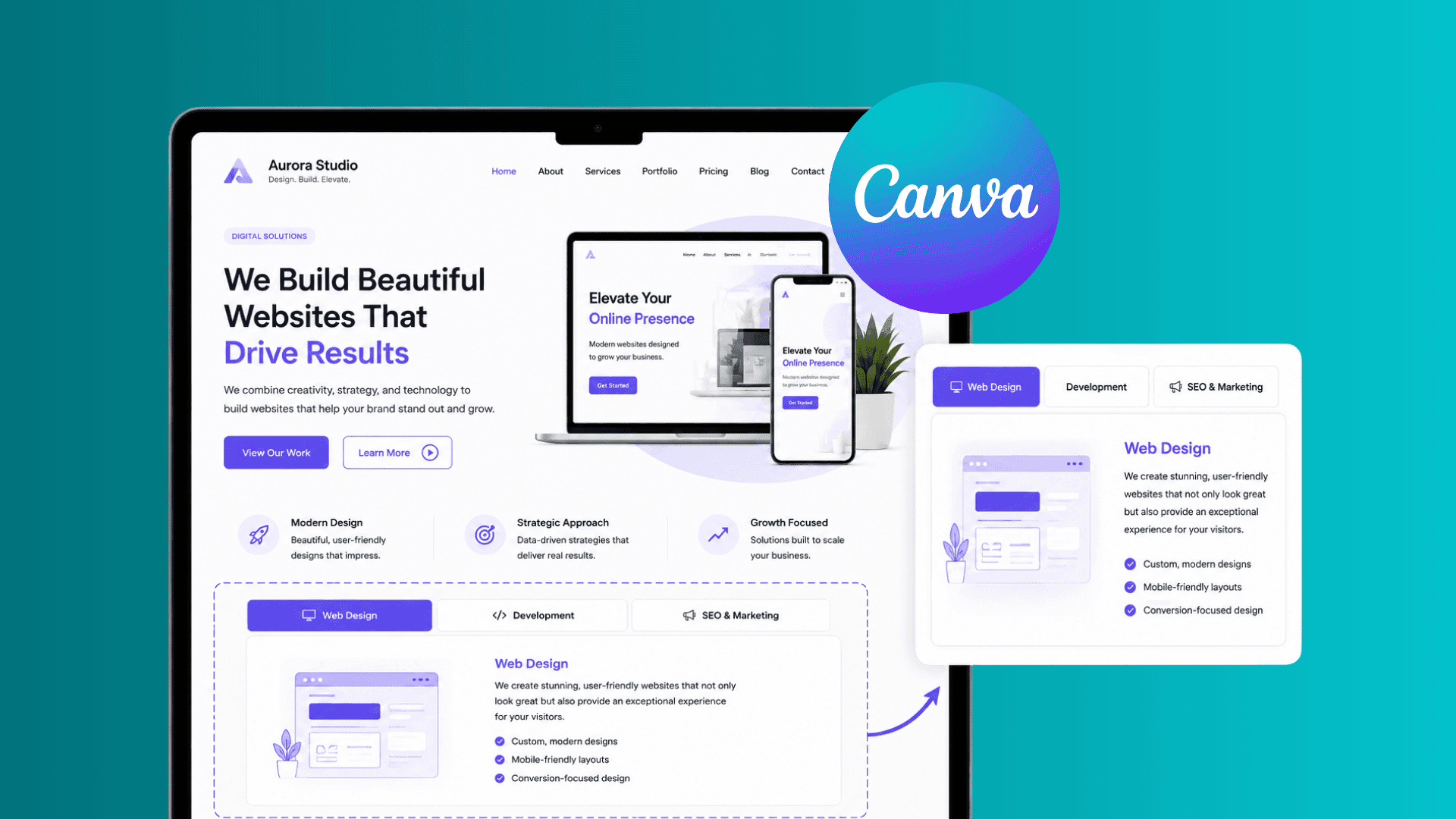
Learn how to add tabs to a Canva website to organize content, improve navigation, and create a cleaner, more professional experience for your visitors.
Paula Sawicka
Content Creator
If your Canva website feels cluttered, overwhelming, or difficult to navigate, you're not alone.
One of the biggest challenges canva website owners face is organizing large amounts of information without creating endless scrolling pages.
Whether you're showcasing services, product features, pricing plans, portfolio categories, course content, or frequently asked questions, presenting everything at once can make your website feel messy and difficult to use.
That's where tabs come in.
Tabs help organize information into clickable sections, allowing visitors to explore content without being overwhelmed. They create a cleaner user experience, improve navigation, and make your Canva website feel more professional.
In this guide, you'll learn how to add tabs to a Canva website, why tabs improve user experience, and how to use them effectively to create a more engaging website.
What Are Website Tabs?
Website tabs are interactive navigation elements that allow users to switch between different sections of content without leaving the page. Think about how your web browser works.
Each tab contains different information, but everything remains organized and easy to access.
Website tabs work in a similar way.
Instead of displaying all content at once, information is divided into separate sections that visitors can view by clicking a tab. For example:
 This keeps content organized while reducing visual clutter.
Why Use Tabs on a Canva Website?
Many Canva websites become difficult to navigate because too much information is displayed at once.
Visitors may be forced to scroll through long sections of content to find what they're looking for.
Tabs help solve this problem.
Benefits of using tabs include:
Better content organization
Improved user experience
Reduced page clutter
Easier navigation
More professional appearance
Better mobile usability
Increased visitor engagement
Instead of overwhelming visitors with information, tabs allow them to explore content at their own pace.
How Tabs Improve Website User Experience
User experience plays a significant role in website performance. When visitors can quickly find information, they are more likely to stay on your website and take action. Tabs improve user experience by:
Reducing Cognitive Overload
Large blocks of information can overwhelm visitors. Tabs break content into manageable sections that are easier to understand.
Improving Navigation
Visitors can jump directly to the information they need. This reduces frustration and improves satisfaction.
Keeping Pages Cleaner
Rather than creating long scrolling sections, tabs allow you to organize content within a compact area.
Encouraging Interaction
Interactive elements naturally increase engagement. Visitors are more likely to explore your website when content feels dynamic and easy to navigate.
How to Add Interactive Tabs to a Canva Website
Login or create an account with Inspireclicks.co. If you’re uncertain if you’d like to use inspireclicks, you can access the platform for free using the 7-day trial.
Head to your dashboard, and from your sidebar, select ‘widget builder’

3. Click on ‘Create widget’ and choose ‘Tabs’
 4. Firstly, choose the appropriate design layout for your tabs. You can choose a different one for each tab. You can do this by clicking on the 'content' button in the bottom toolbar. If you would like to have a different layout for each tab, make sure to navigate the 'content' toolbar correctly for each tab. Here, you can also add your images and any text you wish to add for each tab.

5. In the 'design' toolbar, you will be able to update colours of each section of the widget.

6. To update fonts, simply click on 'text' in the bottom toolbar. Here, you will also be able to change the text size, letter spacing, and weight. Whether you'd like it to be bold, extra bold, regular, or more.

7. In the 'settings' toolbar, you will be able to update the tabs style from underlined, boxes or pills. Here, you can also change the alignment of the tabs between, left, centre and right hand side.

8. Once you have added all your content and you're ready to preview your widget, you can do so by clicking on the device at the top of the page. This will allow you to preview how your widget will behave on different device.

9. When you're ready to publish your widget, simply click on 'Open in Canva' button at the top right hand corner. This will automatically redirect you to Canva. There, your widget will be automatically added to your design. You can then copy and paste it to your other designs.

That’s it! It’s that easy! Please note that any changes you make will be saved automatically. To view these changes on Canva, please click on 'update' on the Canva app.
Best Ways to Use Tabs on a Canva Website
Tabs can be used across many industries and website types.
Service Pages
Organize different services into separate tabs.
Example:
Website Design
Branding
SEO
Advertising
Pricing Sections
Display multiple plans without overwhelming visitors.
Example:
Starter
Professional
Premium
Course Websites
Organize curriculum information.
Example:
Module 1
Module 2
Module 3
Bonuses
Portfolio Websites
Showcase different categories of work.
Example:
Logos
Websites
Social Media Graphics
Branding Projects
Product Features
Organize software or product benefits.
Example:
Features
Integrations
Security
Support
Common Mistakes When Using Tabs
Too Many Tabs
Avoid creating excessive tab options. Visitors may become overwhelmed. Aim for 3 to 7 tabs whenever possible.
Poor Tab Labels
Use clear, descriptive labels.
Bad:
Option A
Option B
Better:
Pricing
Features
Testimonials
Hiding Important Information
Do not place critical information inside tabs if visitors are unlikely to discover it. Important content should remain visible.
Inconsistent Design
Keep spacing, typography, colors, and styling consistent across all tabs. Consistency improves usability.
Can Tabs Improve Website Conversions?
In many cases, yes. Tabs help visitors access information quickly and efficiently. When users can easily find answers, compare services, or understand your offer, they are more likely to take action.
Tabs can help:
Increase engagement
Improve navigation
Reduce frustration
Increase time on site
Improve user satisfaction
Support higher conversion rates
While tabs are not a direct ranking factor or conversion guarantee, they contribute to a better overall website experience.
Frequently Asked Questions
Are tabs good for Canva websites?
Yes. Tabs help organize information and improve navigation, especially on content-heavy websites.
Should I use horizontal or vertical tabs?
Horizontal tabs work best for smaller content sections, while vertical tabs are ideal for larger amounts of information.
Can tabs improve user experience?
Absolutely. Tabs reduce clutter and help visitors find information more efficiently.
What should I put inside tabs?
Services, pricing plans, portfolio categories, course content, product features, FAQs, and testimonials all work well inside tabs.
Are tabs mobile-friendly?
When implemented correctly, tabs can create a cleaner and more user-friendly mobile experience than long scrolling sections.
Final Thoughts
Tabs are one of the most effective ways to organize information on a Canva website. They help reduce clutter, improve navigation, and create a more professional user experience without overwhelming visitors with endless content.
Whether you're showcasing services, pricing plans, course content, portfolios, or product features, tabs allow you to present information in a way that feels organized, interactive, and easy to explore. Sign up to Inspireclicks.co to create your interactive tabs. If you're looking to create a more engaging Canva website, adding tabs is one of the simplest ways to improve both usability and visitor experience.